Hormozi-style captions, free and made in your browser
Big uppercase words, two or three at a time, each one snapping in as it is spoken, with the word that matters lit up in colour. It is the caption look Alex Hormozi made the default for business and advice content, and it works because the viewer can never read ahead of the voice.
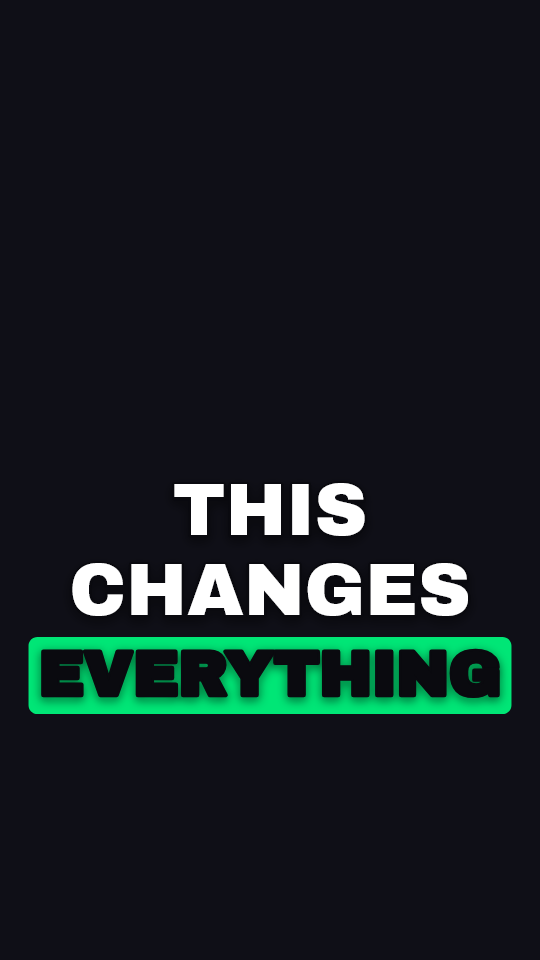
THIS CHANGES EVERYTHING
What makes the style
Five things, and the font is the least important of them. Heavy uppercase type. Very few words on screen at once — two or three, never a full sentence. Each word appears exactly when it is said, usually with a quick pop. A thick dark outline or shadow, so the text reads over any footage. And one word per phrase in colour — the number, the result, the claim — so a viewer with the sound off still gets the point.
The style here is called Impactful in the editor: a heavy uppercase face, a dark outline, words popping in on the speech, and the spoken word lit on a coloured box. Switch the highlight from a box to coloured text, or green to yellow, in one tap if you want it closer to a particular video.
Which font Hormozi uses
His earlier videos are most often identified as using The Bold Font; more recent ones as Anton, uppercase, with a coloured outline on the key word. Montserrat in a heavy weight is the other name that comes up. It has changed over time, so no single answer is right for every video.
Anton is in the editor and free to use. The Bold Font is not shipped, but any font you own can be loaded from its file and used for the captions. If you want the exact look of one particular clip, the style matcher reads the font weight, colour, casing, outline and position off that video on your device and builds the style from it.
Where it works, and where it does not
It is built for one person talking to camera at a steady pace: advice, sales, explainers, podcasts cut into clips. The density is the point — the eye is pinned to the voice.
It is the wrong choice for anything calm. Over a travel film, a wedding or a slow interview it reads as shouting. It also fights fast music: words that change every quarter of a second become flicker. A cleaner subtitle style suits those better.
Questions
Is this the official Hormozi caption template?
No. It is a caption style in the look his videos made popular, and AI Caption Cut has no connection to him or his companies. Every setting in it is editable, so you can take it closer to — or further from — any video you are looking at.
How many words should be on screen at once?
Two or three. The control at the top of the caption list sets it for every caption at once, so you can try one, two and three across the whole video and keep the one that reads best. It regroups from the original transcript each time, so nothing is lost by trying.
Can I pick which word is highlighted?
Yes. The highlight follows the spoken word by default; tap any word in the caption list to make it the accent word instead, and it takes the highlight colour.
Is it free?
Yes, with no account. Exports are unlimited at 480p with a small watermark; one payment for that video removes the watermark at full 1080p. Captions also download as .srt.
Related free tools
Put Hormozi-style captions on your next video
Choose your video, and the captions are written and styled on your own device. Change anything in the editor, then export.
Caption my video in this styleUpdated